Pre-alpha
The point of sale that keeps selling, even offline
Free and open source, for cafés, restaurants, kiosks and small shops in Malaysia. Take orders, get paid and print receipts when the internet is down.
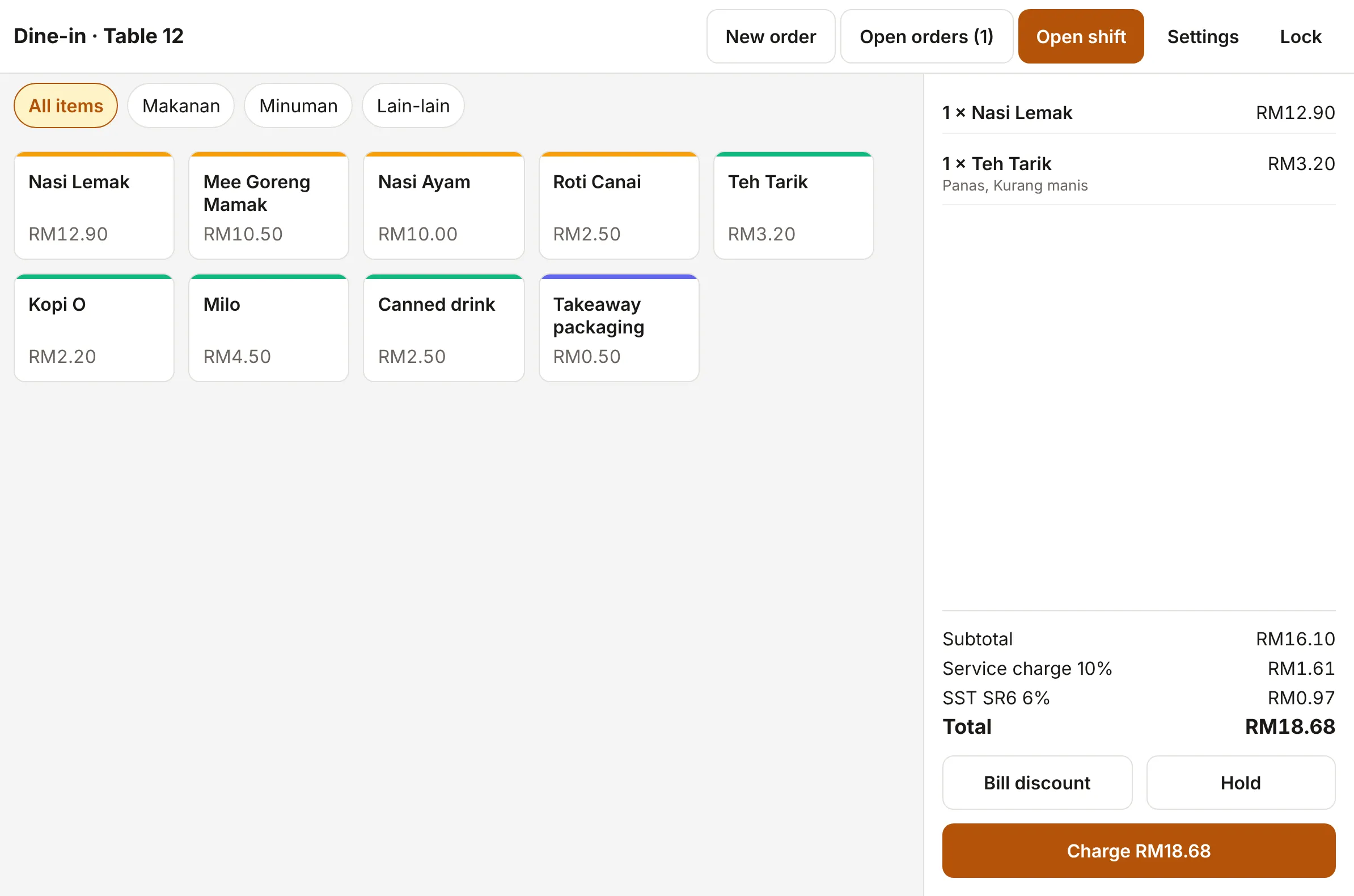
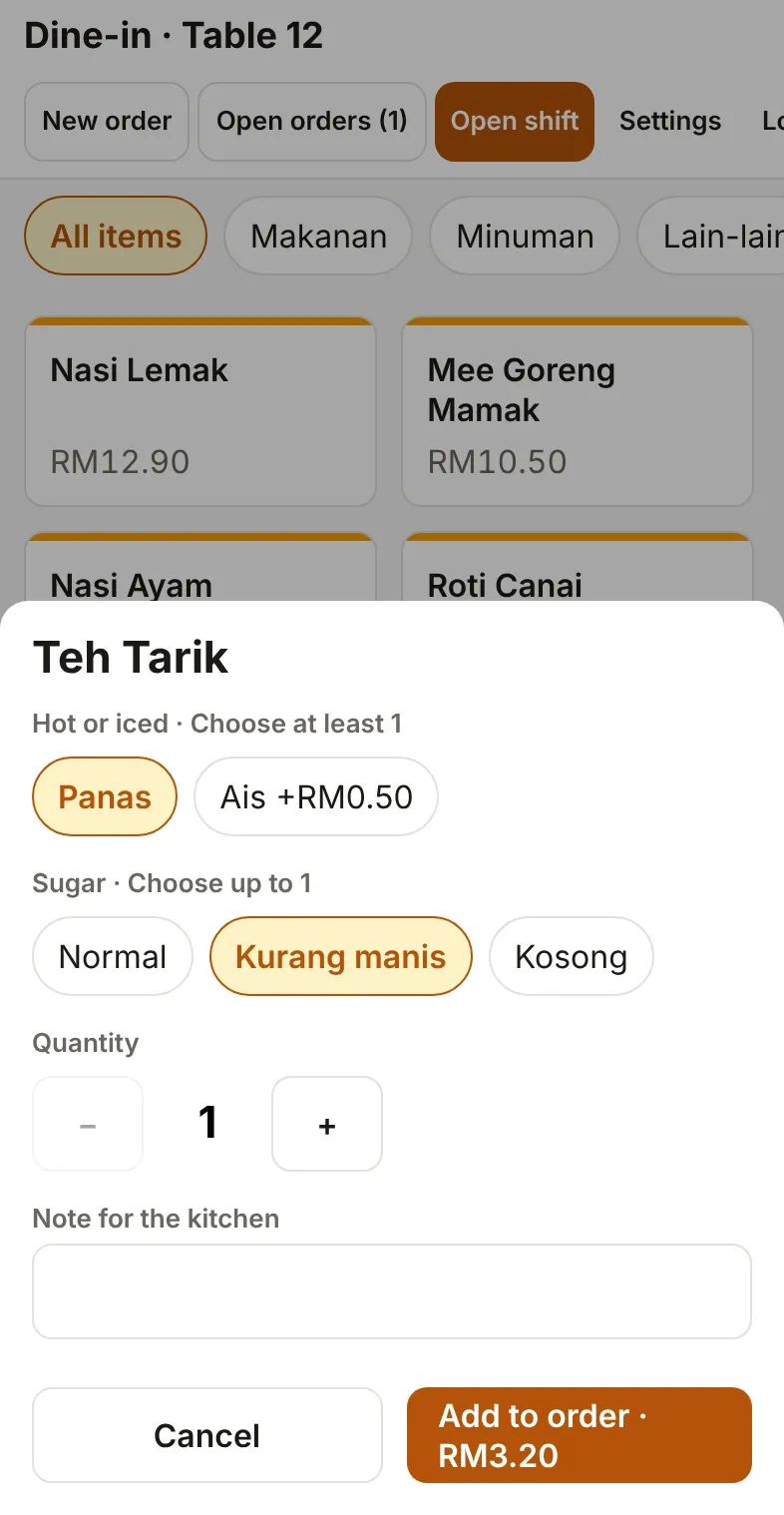
Works offline
Syncs when the internet's back
What OpenKedai does
A tablet at the counter, phones at the tables and a back office for you. None of it waits on the internet.
Keeps selling offline
Taking orders, payment, printing receipts and closing a shift never wait on the internet. Everything syncs when the connection comes back.
Tablets and phones
iPad, iPhone, Android tablets and phones, and counter terminals like Sunmi. A tablet at the counter, phones for taking orders at the table.
Printing without drivers
Receipts and kitchen tickets on ESC/POS network printers and Sunmi's built-in printers. Nothing to install.
Back office in your browser
With a hub, manage the menu, staff, settings and devices, and see reports: sales, items, payment methods, SST per code and Z-reports. Export to CSV.
Your data stays yours
No account with us and no cloud required. No tracking in the app: telemetry stays off unless you turn it on.
Free and open source
No licence fees and no subscription. The code is open source under AGPL-3.0.
Three ways to run it
Start with one tablet. Add a hub when the shop gets busier.
One device, no server
A single tablet runs the shop on its own. Nothing else to set up.
A hub at the shop
A mini PC, Raspberry Pi or NAS on the shop's own network. Devices share orders, and you get the back office.
A hub in the cloud
The same hub on a cheap cloud server. If the connection drops, the devices keep selling and sync later.
Made for Malaysia
Set up for how Malaysian shops work, from SST to 5-sen rounding.
SST at 6% and 8%
Your SST registration number on every receipt, and SST per tax code in the reports.
Service charge
Add a service charge, shown on its own line on the receipt.
5-sen cash rounding
Cash totals round to the nearest 5 sen, with the adjustment printed on the receipt.
DuitNow QR
Show your shop's DuitNow QR at checkout and confirm the payment, alongside cash and card.
Three languages
English, Bahasa Melayu and 简体中文, on screen and on printed receipts. Chinese prints even on printers without Chinese fonts.
Run a hub in minutes
One container, one port, one data folder, and nothing to set up first. Daily backups, optionally to any S3-compatible storage.
The install commands will appear here when the source code is public. The guides are already on the docs site.
Step-by-step guides
Measured
- Docker image
- 79 MB
- to start
- Under 1 s
- of memory
- About 120 MB
Open source, and yours
Free to use and change
OpenKedai is licensed under AGPL-3.0. Use it, study it, change it and share it.
Your devices, your server
Orders and reports live on your own devices and your own hub, not ours.
Plugins under any licence
Add integrations, extra payment types and receipt blocks with server plugins, under any licence you like.
Source code coming soon
What's next
Planned, with no dates yet.
- Split bills and a floor planPlanned
- A kitchen displayPlanned
- Payment terminal integrationsPlanned
- QR table orderingPlanned
- LHDN MyInvois e-invoicingPlanned